Harvest log
The harvest log records the game taken in the ground. All members see the list; it is the basis for the statistics and the export for the authorities.
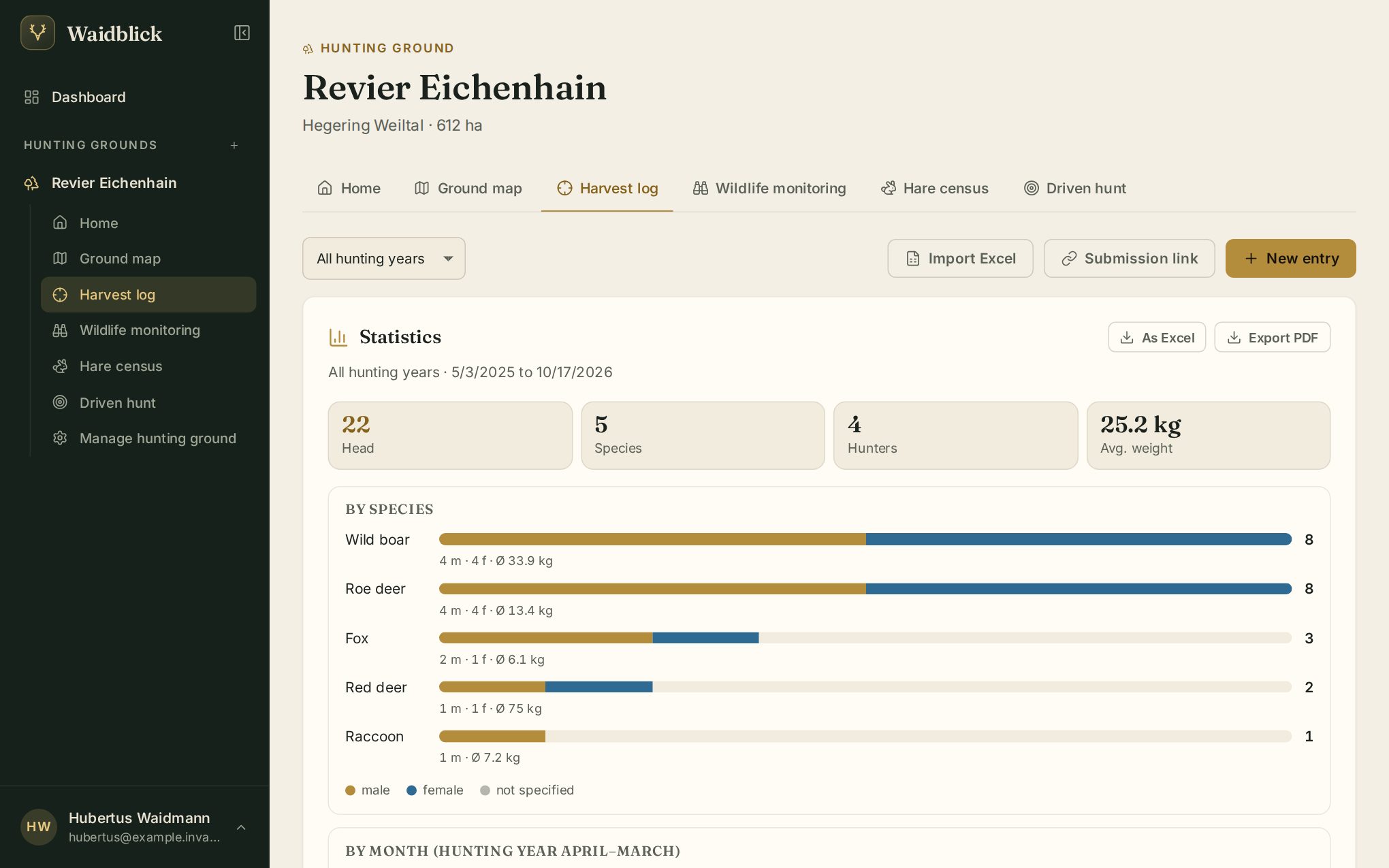
At the top you choose the hunting year (1 April to 31 March) or “All hunting years”. The selection applies to the statistics and the list.
New entry
Tap New entry:
- Date and species are required. Species: roe deer, wild boar, red deer, fallow deer, fox, badger, raccoon, raccoon dog, marten, hare, wild rabbit, pheasant, other.
- Sex and weight (kg).
- Harvested by – you are preselected; choose another member or Someone else … for a guest and enter the name.
- Place / high seat – Waidblick suggests the ground's facilities and areas, but you can type freely.
- Notes.
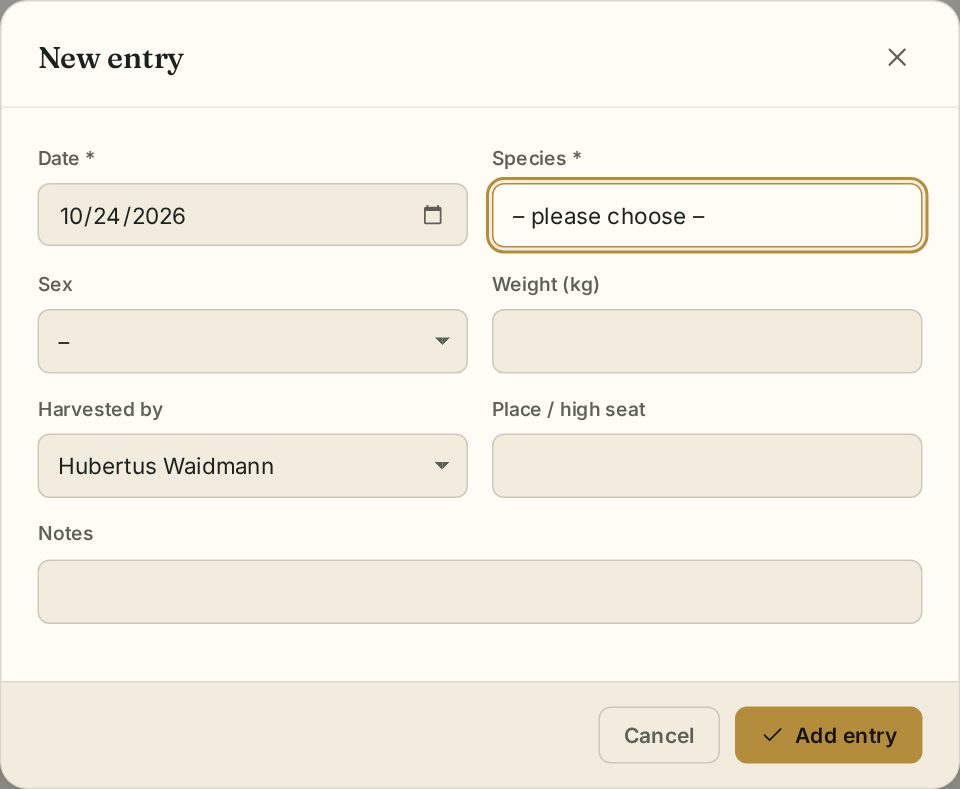
Add entry saves it. Without a signal Waidblick keeps the entry and sends it later – until then it is marked Pending (see Out in the field without a signal).
Statistics
The statistics follow the selected hunting year and species:
- Key figures: animals, species, hunters, average weight.
- By species (with male/female), by month, by hunting year, by hunter and by place / high seat.
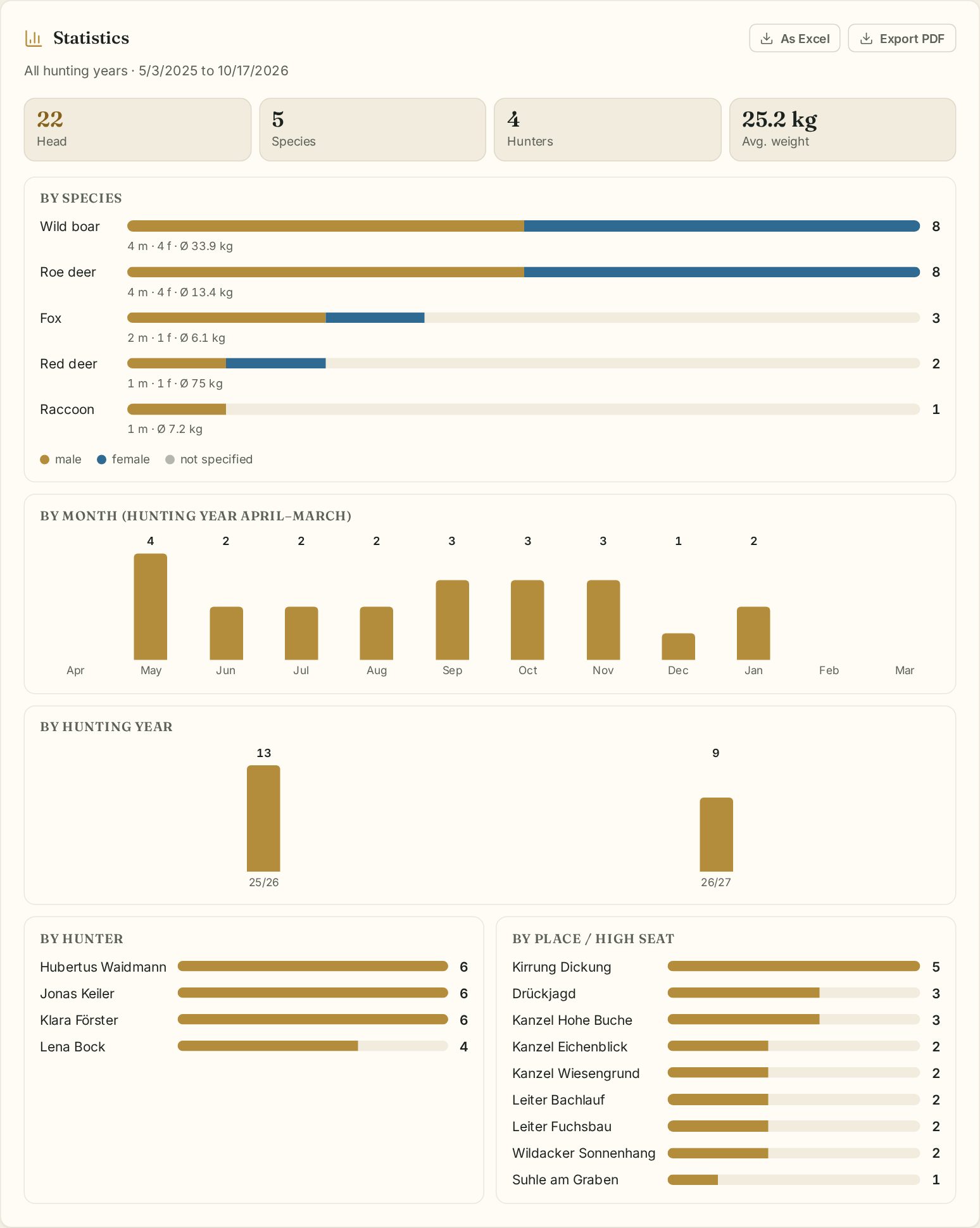
As Excel and Export PDF download the list with statistics.
Viewing and editing entries
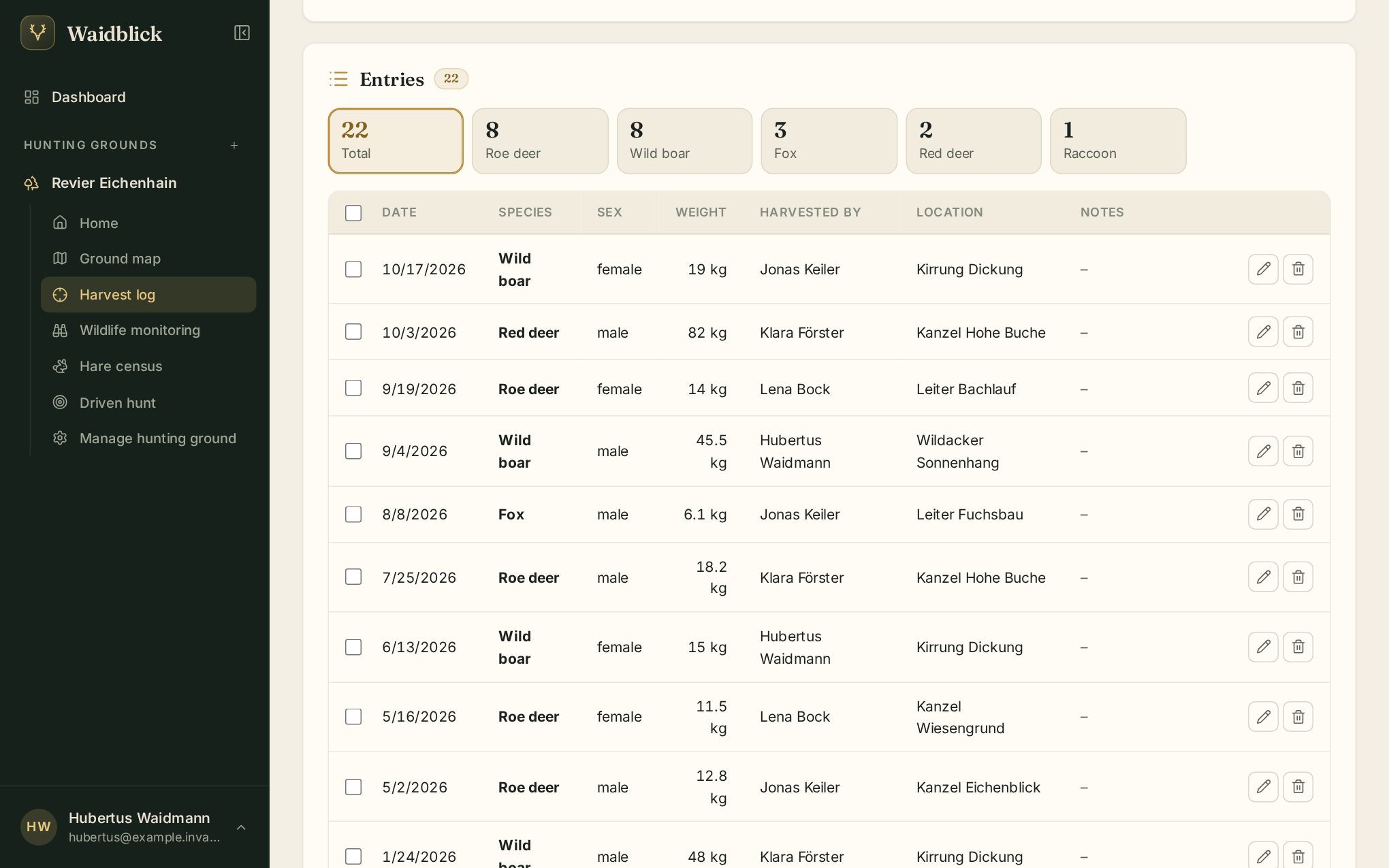
Above the table an overview shows the count per species; clicking a species filters the list. The table shows 25 entries per page.
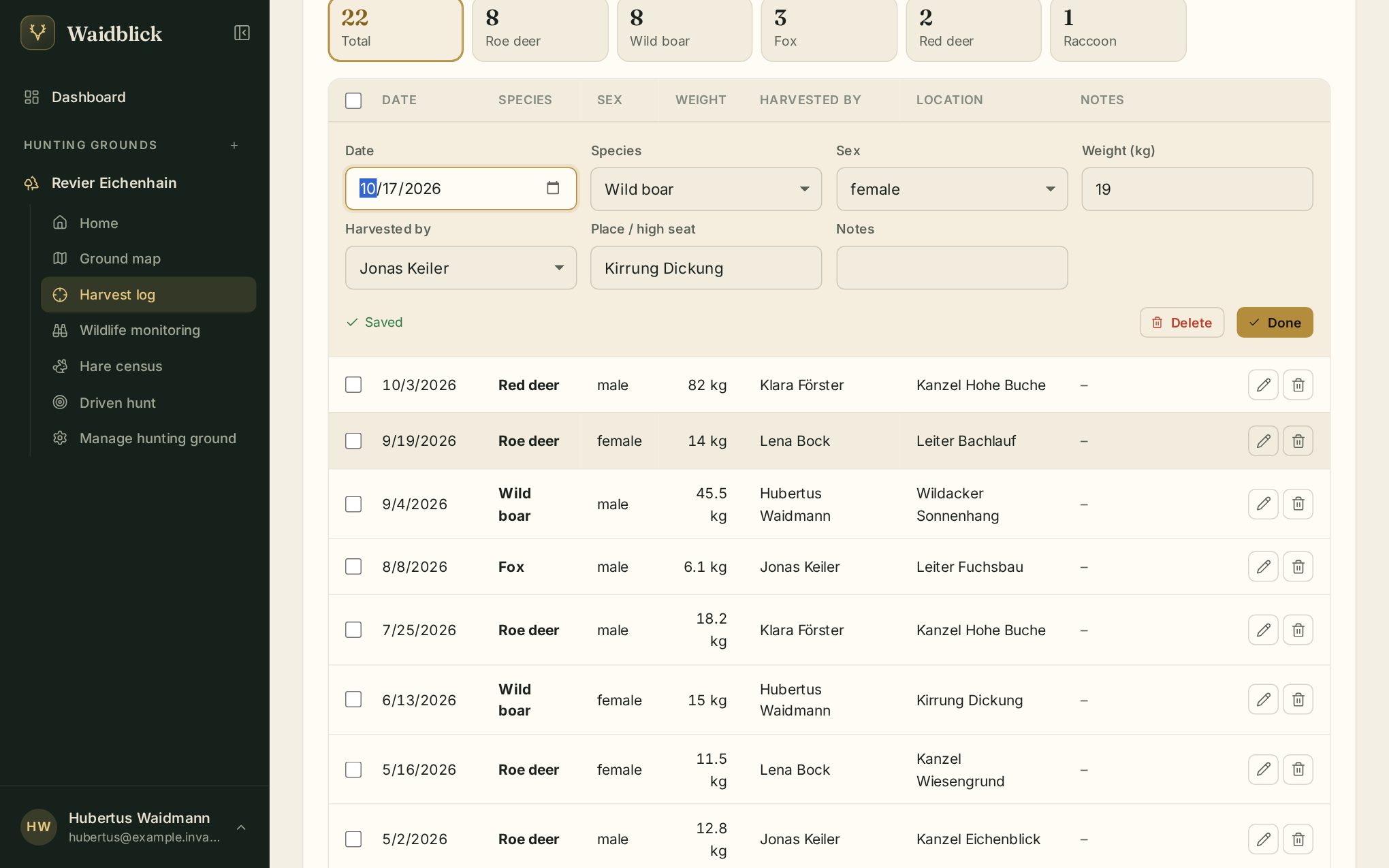
- Edit: double-click a row or use the pencil icon. Changes are saved immediately; you can also delete the entry there. Done closes the row.
- Who may do what: every member can edit and delete their own entries, leaseholders and co-leaseholders all entries.
- Entries submitted through the submission link carry a Link badge.
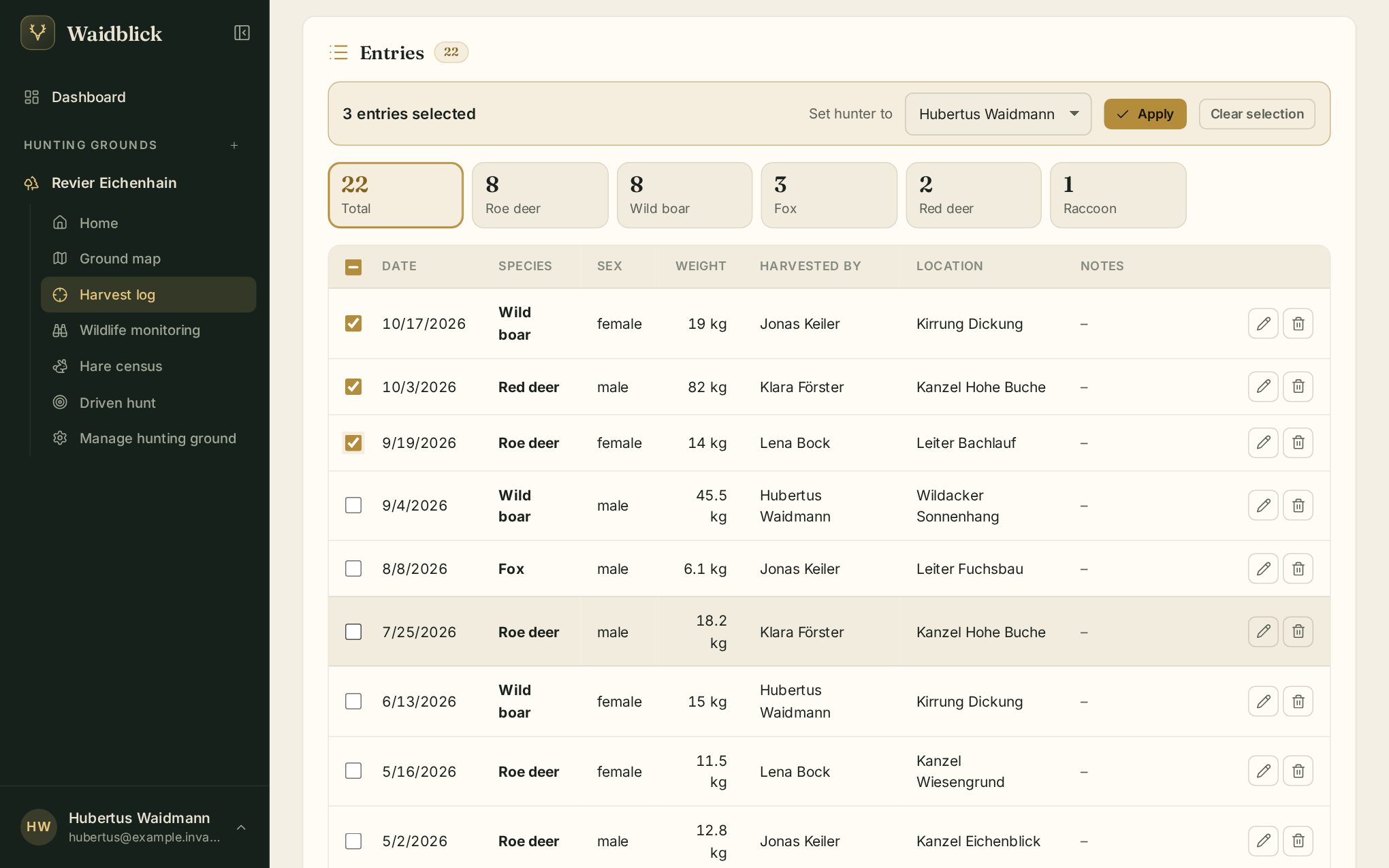
Changing several entries at once
Use the check boxes in front of the rows to select several entries. The bar above lets you set the hunter for all of them – handy after an import or a driven hunt.
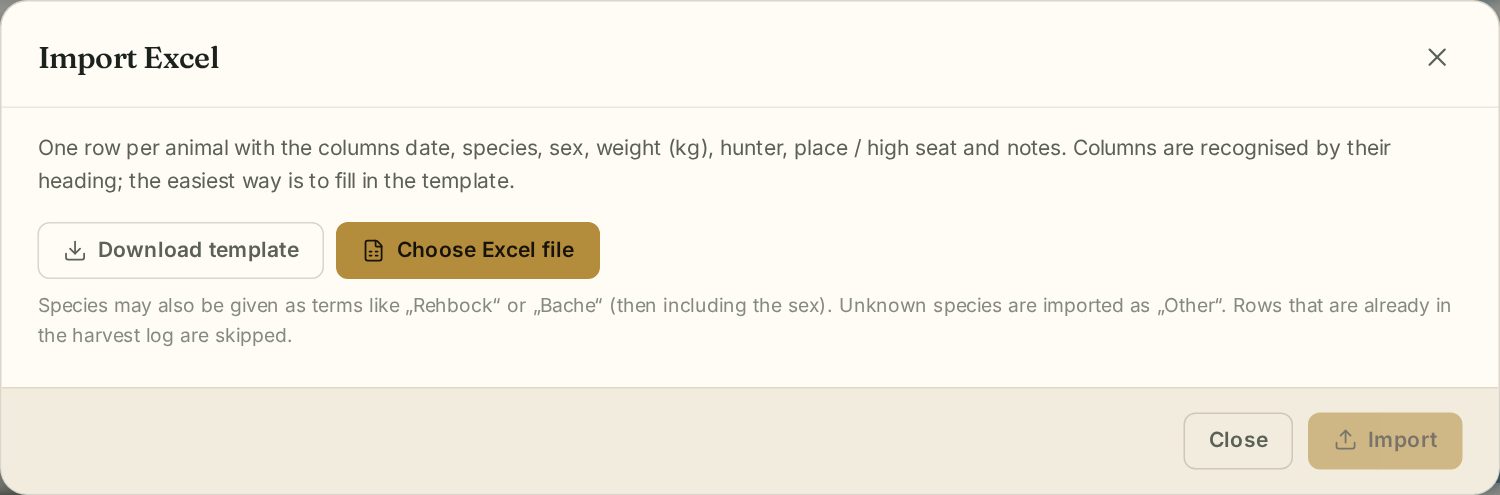
Import Excel
Leaseholders and co-leaseholders can take over an existing harvest log from Excel (Import Excel). Best download the template and fill it in: one row per animal with date, species, sex, weight, hunter, place and notes. Waidblick shows a preview; rows that already exist are skipped.
Import notes
Below the list you find Import notes. Paste notes from your phone or a hunting diary – one line per day, e.g. 03.05. - Rehbock / Kanzel Eichenblick 14 kg. After the slash comes the place, after a second slash a note. Waidblick recognises quantities (“2 Füchse”), weight, sex (Bock, Ricke, Keiler, Bache …) and young animals and shows a preview. The notes are read in German hunting terms, as they are commonly written in German hunting diaries. Choose hunting year and hunter and tap Import.
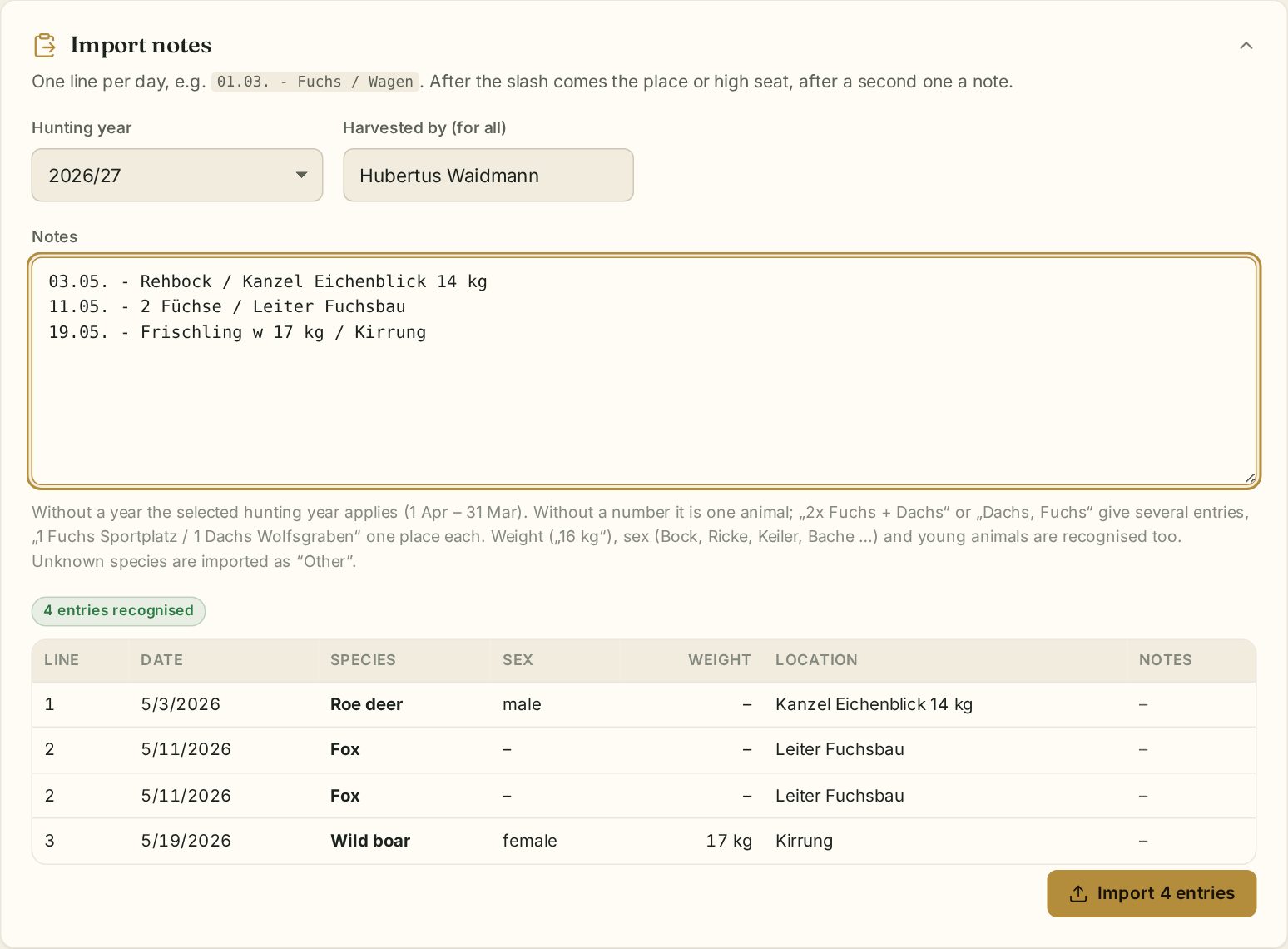
Up to 500 entries at once; duplicates are skipped.
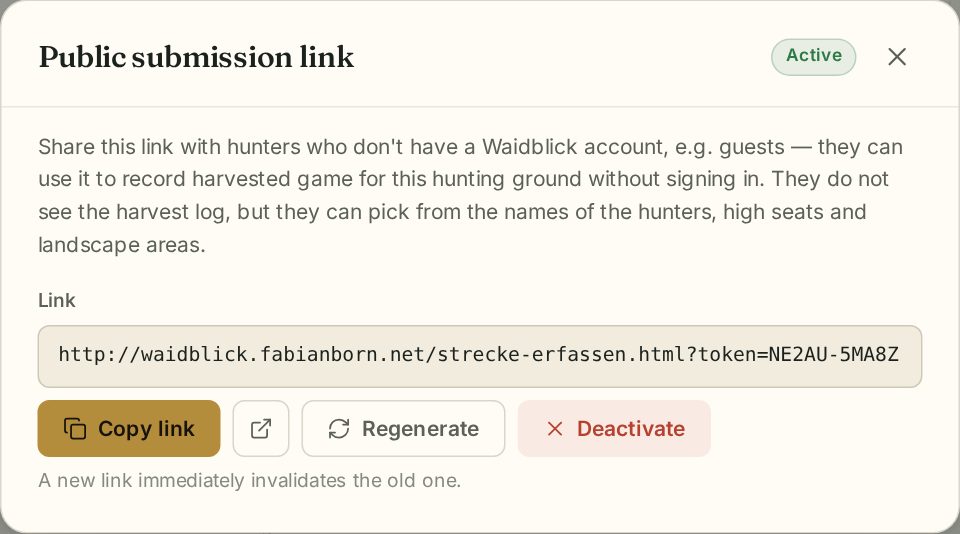
Submission link for guests
The submission link lets hunting guests without an account record game they have taken. Leaseholders and co-leaseholders generate the link, copy it or deactivate it again. See Submission links.