Browser (computer & tablet)
Wildlife monitoring
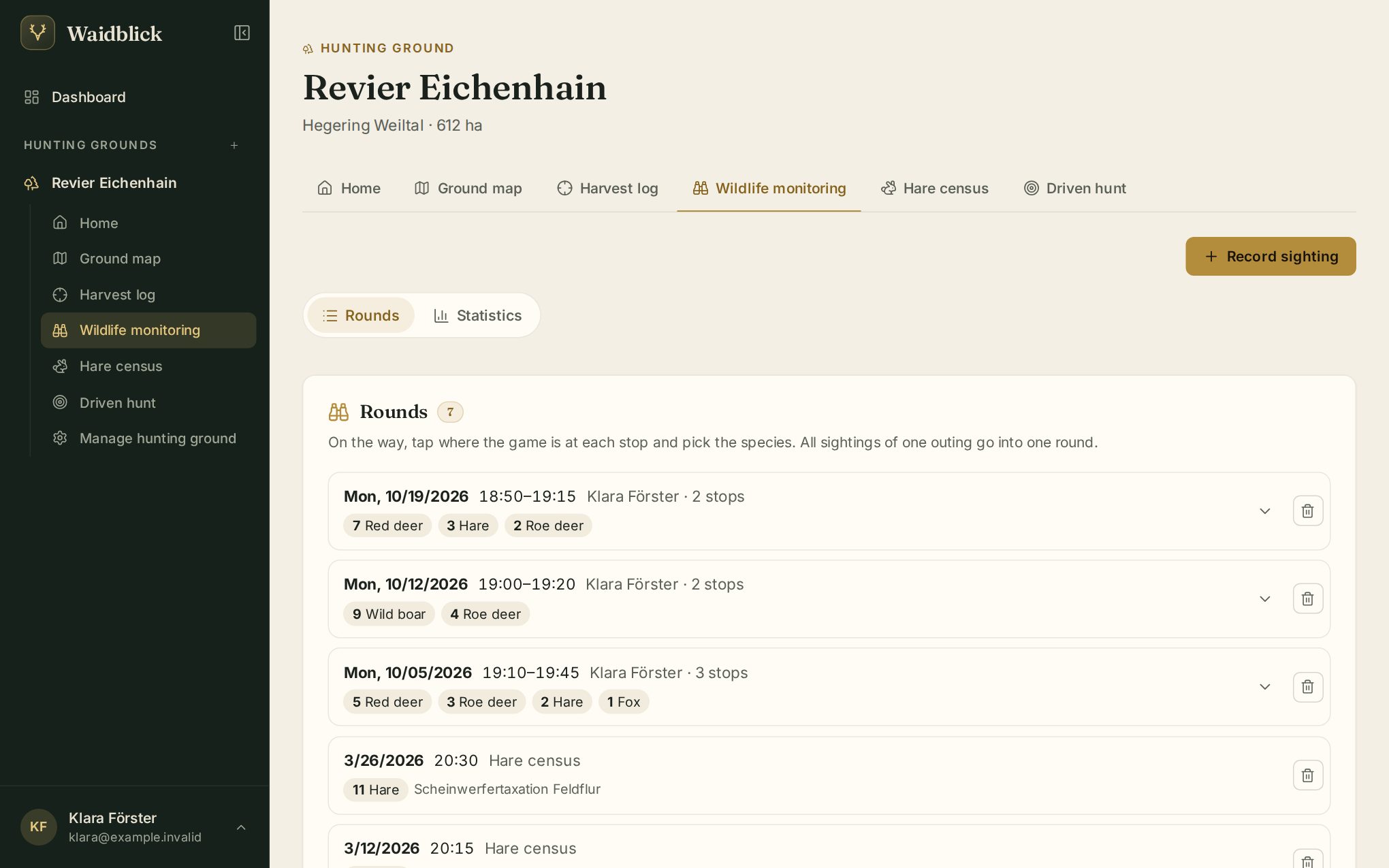
Wildlife monitoring records where you saw which game. Sightings are grouped into rounds: a round is one drive or walk with several stops, e.g. at different meadows.
Record a sighting
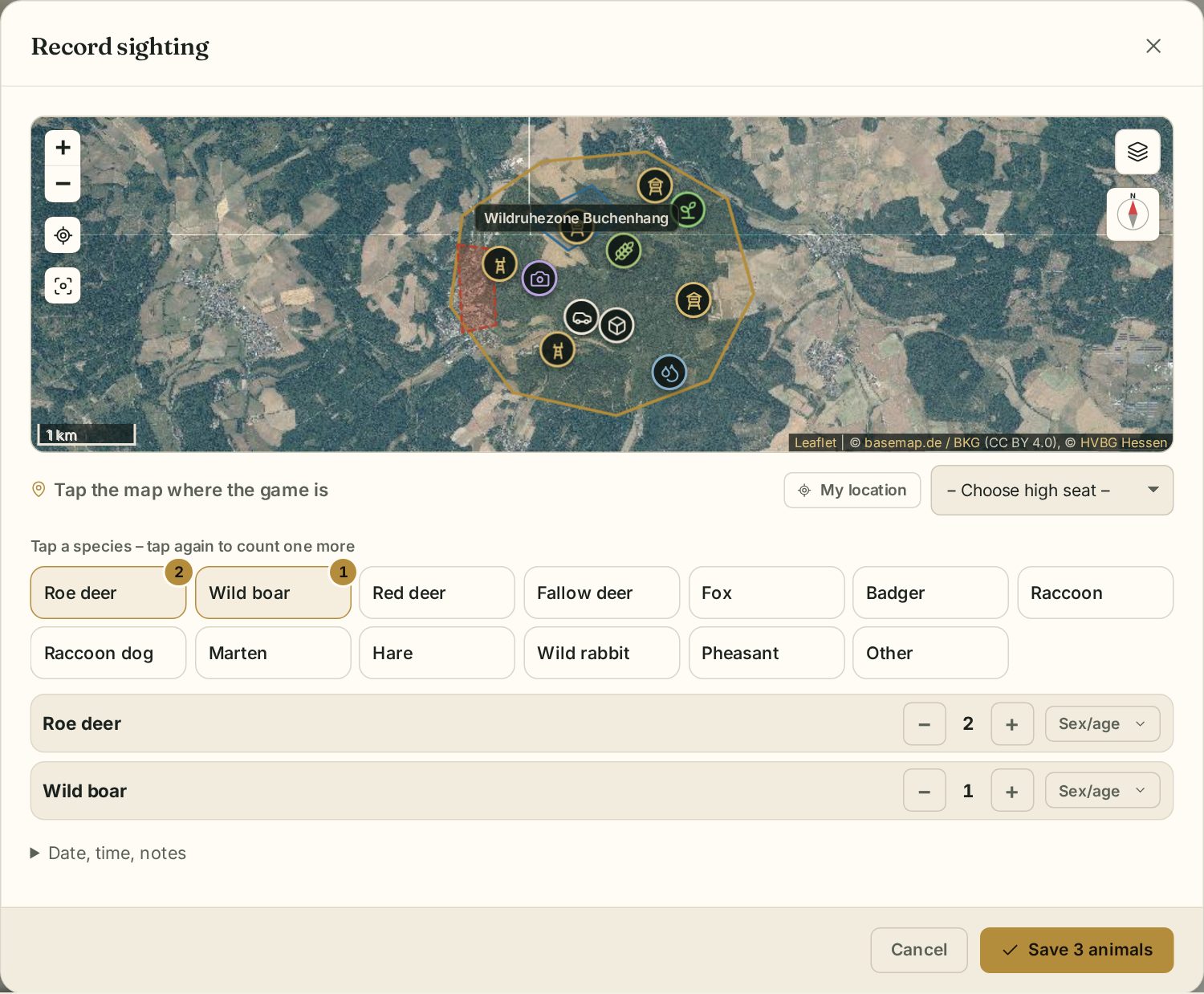
Tap Record sighting:
- Set the place: tap the small map where the game stands. Alternatively My location uses your position, or you pick a high seat from the list.
- Tap a species – each further tap counts one more animal. − and + correct the count.
- Under Sex/age distribute the animals over classes, e.g. buck, doe, kid or boar, sow, yearling, piglet.
- Under Date, time, notes change the time and method if needed (visual, trail camera, tracks, droppings, hare census, other).
- Save.
All stops of one outing land in the same round automatically. A round ends after 4 hours without a new sighting or with End round. Without a signal sightings are sent later.
Viewing rounds
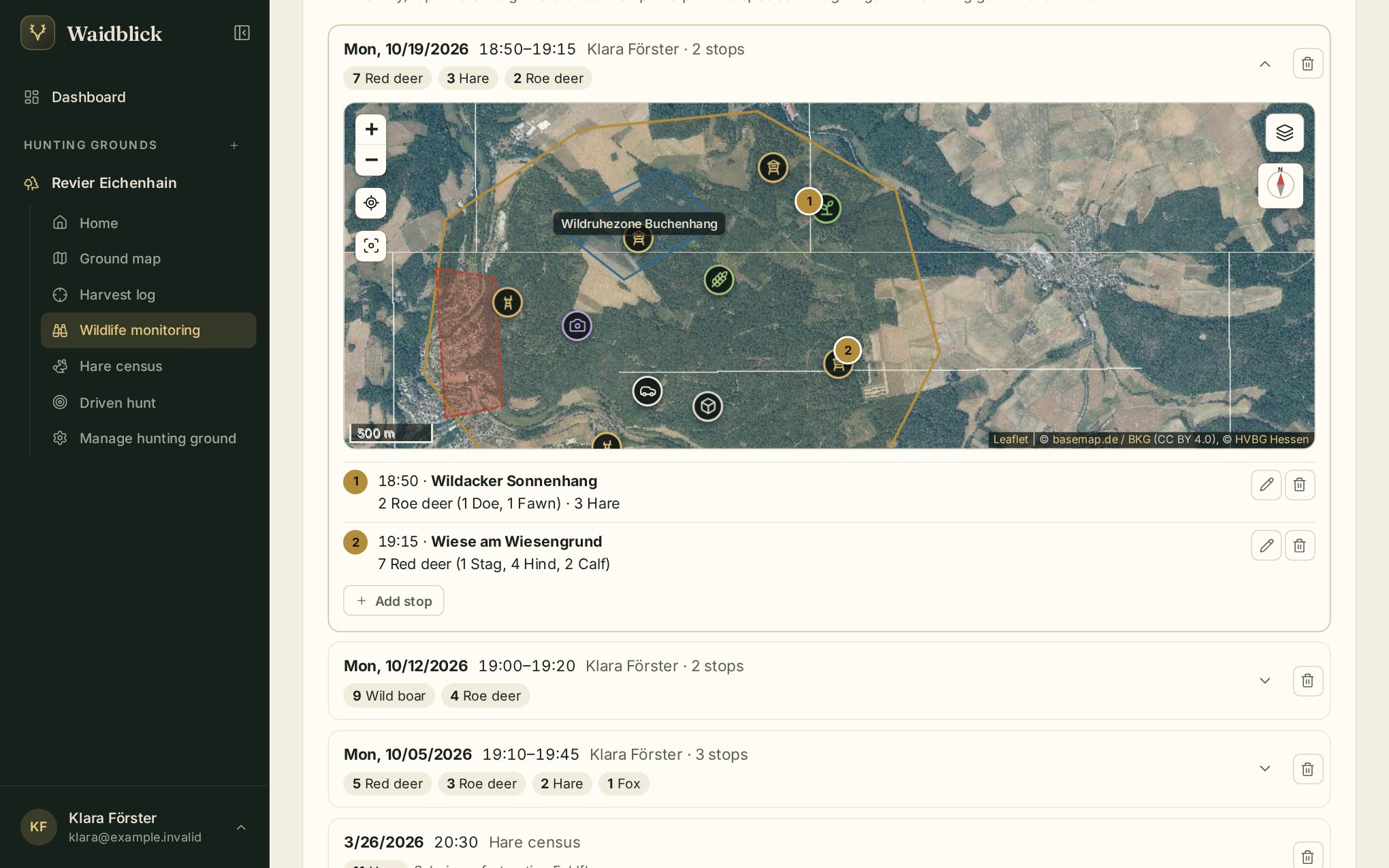
Expand a round to see its stops on the map and in the list. In your own rounds you can edit, add or delete stops and delete the whole round; leaseholders can do this for every round.
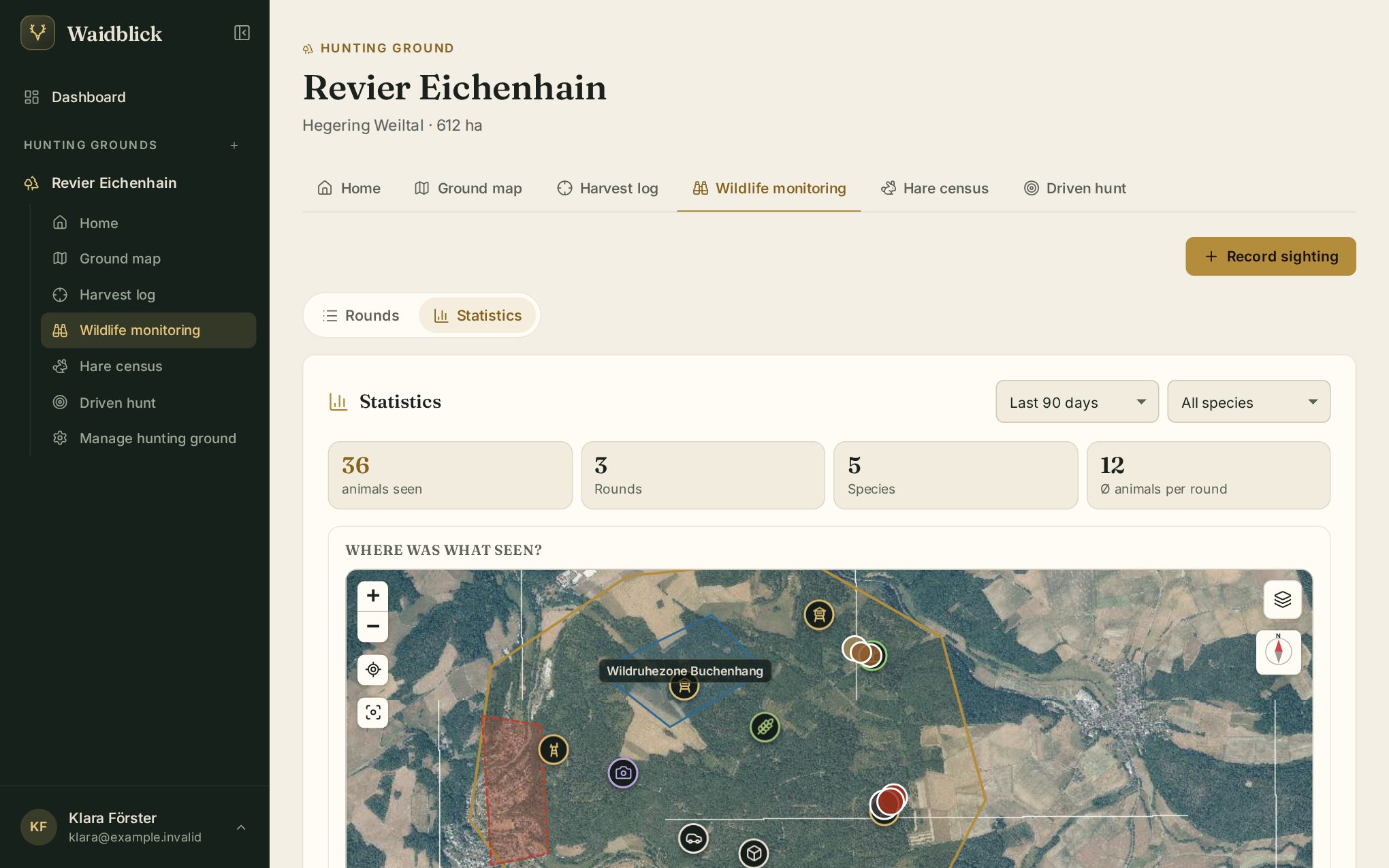
Statistics
Under Statistics choose period and species. You see animals seen, number of rounds, species and the average per round, a map Where was what seen? and charts by time of day and by place/high seat.